Set up a Feishu group bot
Add a Feishu group bot as a Scoutary notification channel to receive monitoring notifications in your group. You can add multiple bots for different groups and use cases.
Add a Feishu group bot
Create the bot in Feishu
-
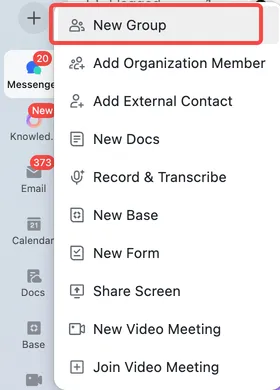
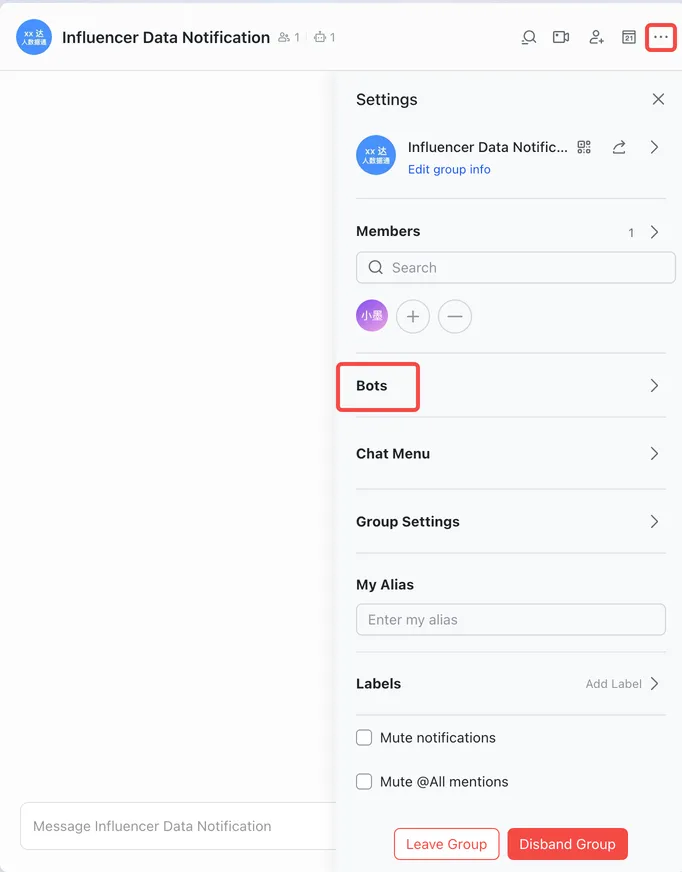
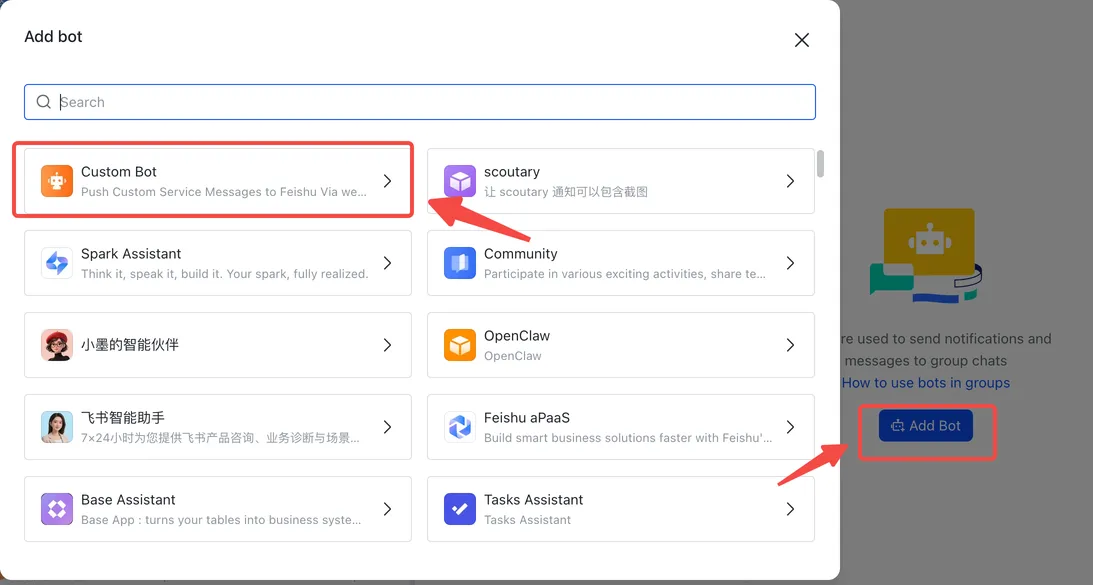
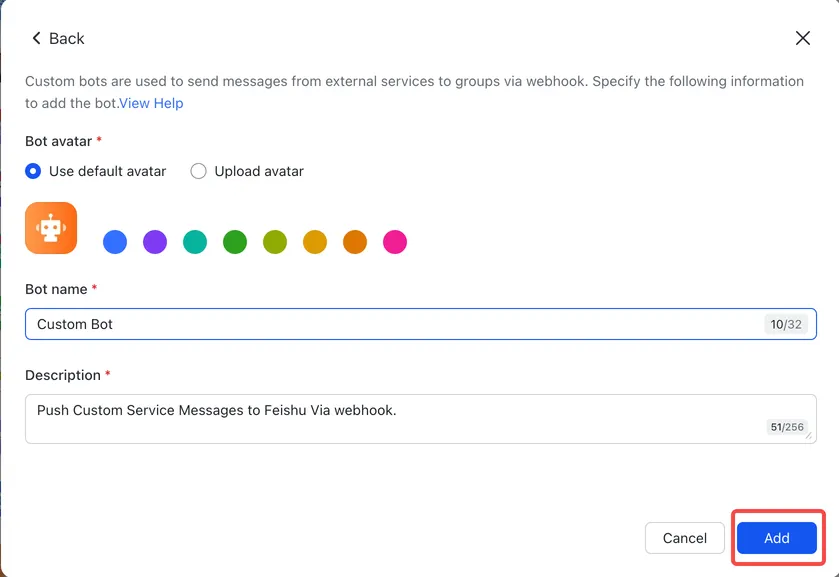
In Feishu, click + and select New Group, or open an existing group. Click … in the top-right corner to open the group settings, then click Bots. Click Add Bot, select Custom Bot, fill in the bot details, then click Add.
-
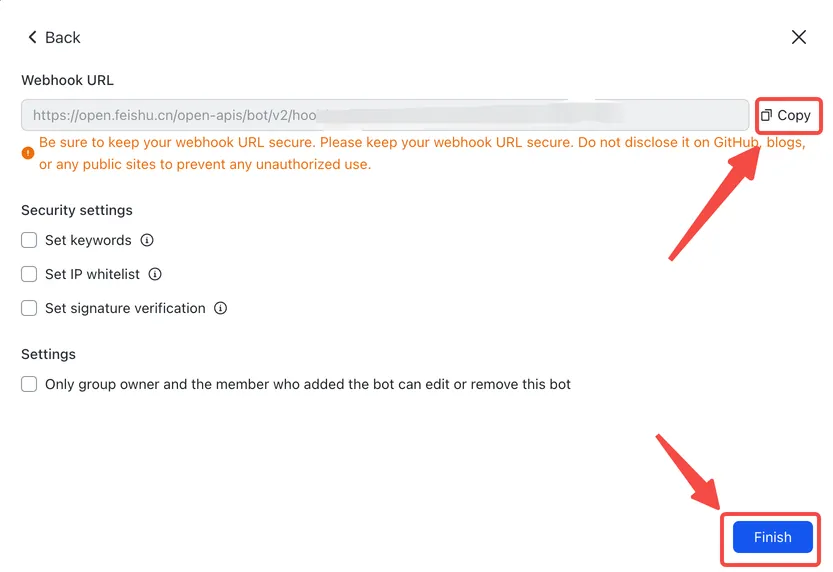
Copy and save the bot’s webhook URL, then click Finish. You will need it when adding the notification channel in Scoutary. You can also reopen the bot settings later to copy the URL.
Add the channel in Scoutary
-
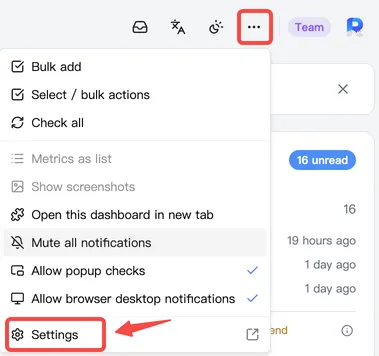
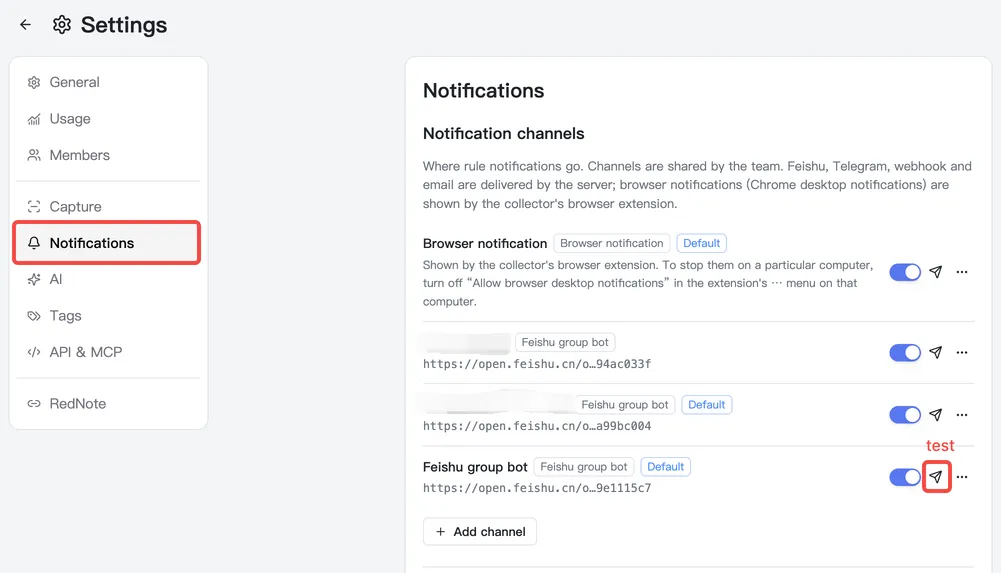
On the Scoutary extension’s management page, open the more menu and click Settings, then Notifications. You can also open Notification channel settings directly.
-
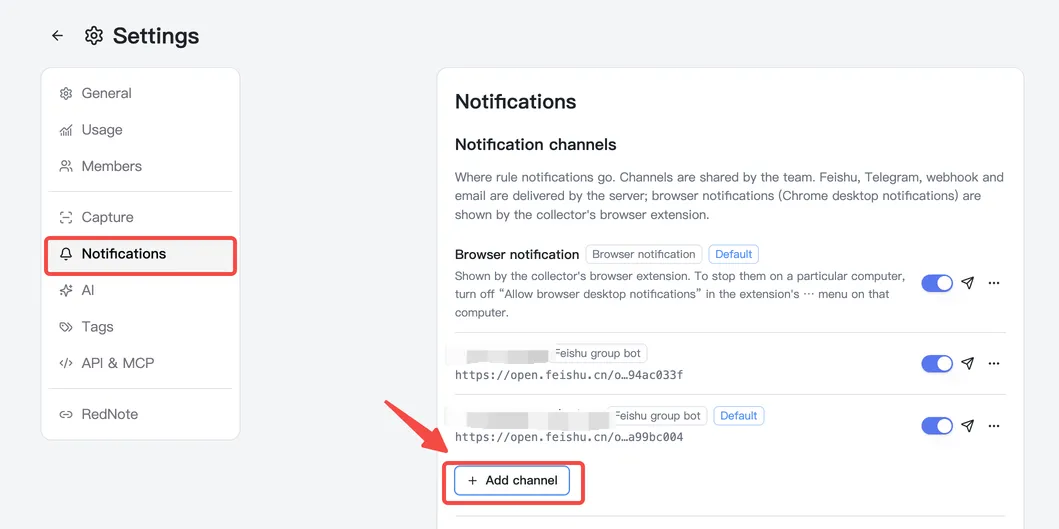
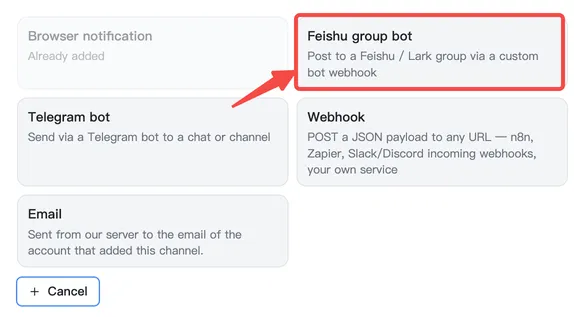
Click + Add channel and select Feishu group bot.
-
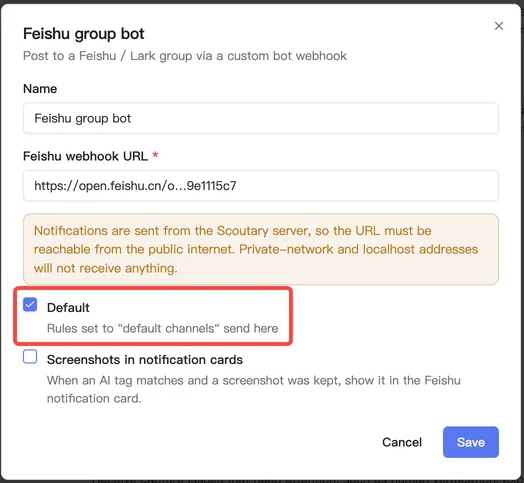
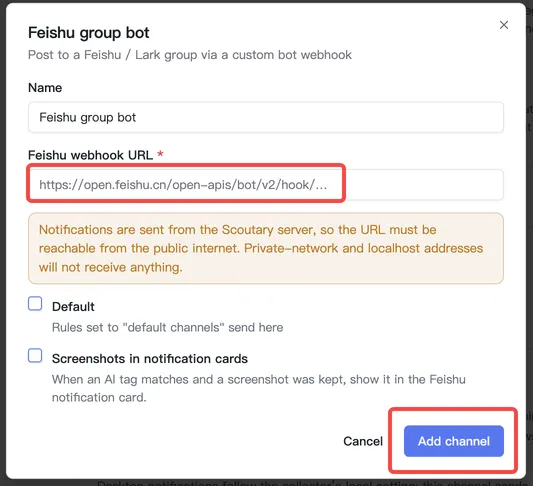
In the dialog, paste the Feishu webhook URL you copied earlier, then click Add channel.
-
Click the test button shown below to send a test message.
-
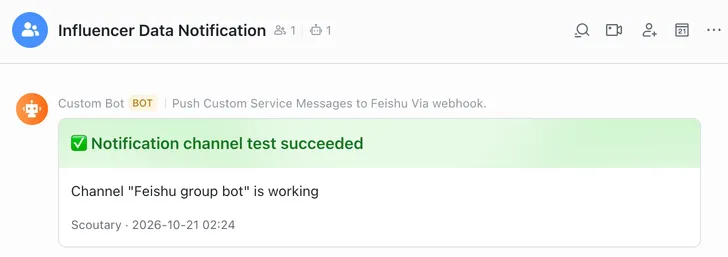
When the test message appears in your Feishu group as shown below, the bot is ready. Repeat these steps to add more Feishu group bots for other use cases.
Use the Feishu group bot
When creating or editing a Scoutary Watch (to track changes to text or numbers) or Discover (to track a Link list or Content list), select the Feishu group bot under Notification channels.
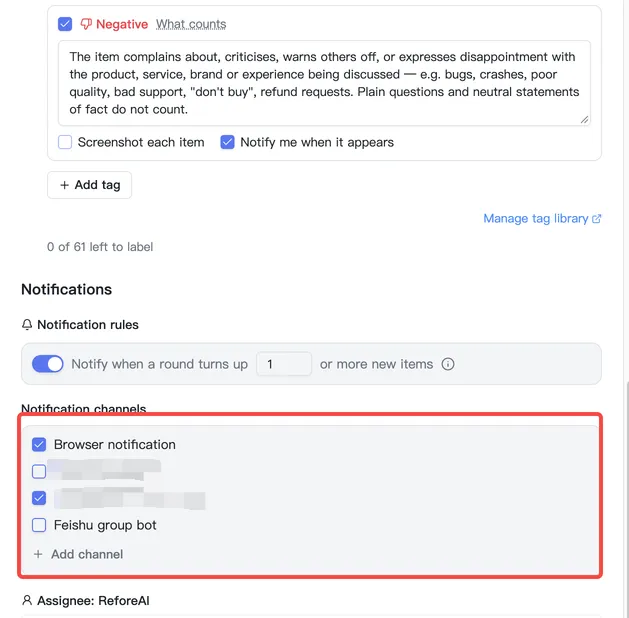
You can also select Default when editing the Feishu group bot channel. This automatically selects the bot as a notification channel for every new Watch or Discover.